

Why two files
Foil is not printed with ink. The artwork is printed first, a laminate is applied, and then a separate digital layer of toner is printed on top. That toner is what the metallic foil bonds to when the sheet passes through the sleeking machine under heat and pressure.
Because the foil layer is printed as its own pass, it has to arrive as its own file. If foil elements are mixed into your artwork file, we cannot separate them reliably and the job stops before it starts.
File 1 — the artwork file
This file contains only the printed artwork.
- Set up the artwork as you normally would for printing
- Do not include any foil elements in this file
- Include bleeds as needed
File 2 — the foil file
This file contains only the areas that will receive foil.
- Foil artwork must be 100% black
- Foil artwork must be vector artwork
- Do not use CMYK colors, gradients, transparency, or shades of gray
- The foil file must be the exact same size and position as the artwork file
- Include bleeds as needed
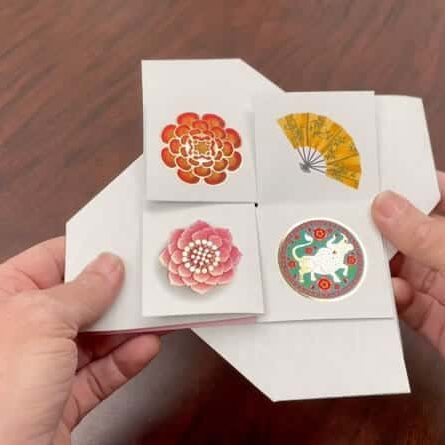
The two files side by side
| Artwork file | Foil file | |
|---|---|---|
| What it contains | The full printed design, with no foil elements | Only the areas that will receive foil |
| Color | Your normal print colors, CMYK | 100% black only |
| Artwork type | Whatever your design requires | Vector only |
| Not allowed | — | CMYK colors, gradients, transparency, shades of gray |
| Size and position | Your final trim size | Exact same size and position as the artwork file |
| Bleed | Include as needed | Include as needed |
An example
Say you are printing a business card with a foil logo and foil name.
Artwork file: the full printed design, including the address block, the background color, and everything else that prints in ink. The logo and the name are absent, leaving the space where they will sit.
Foil file: only the logo and the name, in 100% black vector, positioned exactly where they appear on the finished card. Everything else is empty.
Foil registration and tolerance
Foil is applied as a separate finishing process, so there may be slight movement between the printed artwork and the foil.
Shifts of 1/32 inch are considered normal and within production tolerance.
- Allow for this tolerance when designing foil elements
- Avoid designs where foil must line up perfectly with a printed element, border, or fine detail
If your design has extremely tight registration requirements, send it over before you finalize it and we will review it with our production team.
Before sending files
Run this checklist. It catches almost everything we normally have to send back.
☐ Artwork file contains print artwork only
☐ Foil file contains foil artwork only
☐ Foil is 100% black
☐ Foil artwork is vector
☐ Both files are the exact same size
☐ Foil elements are positioned exactly where they should appear
☐ Design allows for up to 1/32 inch registration tolerance
Frequently Asked Questions
↪
Related Pages
- Digital Foil Printing: how the foil process works and what it suits.
- File Preparation: bleeds, color mode, resolution, and what to send.
- Vector and Bitmap Graphics: why vector matters and how to tell the difference.
- Preparing Artwork With Illustrator: outlining type, setting CMYK, exporting a press-ready PDF.
Send us your files
If you are not sure whether your setup is right, send it anyway. We would rather check it now than rebuild it after a proof. Send us your file or call 858.625.4111 and we will walk through it with you.